Engineering and technology notes

HowTo/PostfixDovecotLMTP

Postfix and Dovecot LMTP

Starting with Dovecot 2.x a LMTP-Server has been added.

Basic Configuration

The first step is to enable its stack via /etc/dovecot/dovecot.conf

!include conf.d/*.conf
protocols = imap lmtp

Socket configuration

The actual socket is configured in /etc/dovecot/conf.d/10-master.conf. The LMTP service can be bound to both INET or Unix sockets. In this example a Unix socket is placed inside the Postfix spool with appropriate permissions set:

service lmtp {
 unix_listener /var/spool/postfix/private/dovecot-lmtp {
   group = postfix
   mode = 0600
   user = postfix
  }
}

Note that the socket needs to be placed there because Postfix access is limited to this directory.

Plugin Support

Plugin support can be enabled at protocol level via /etc/dovecot/conf.d/20-lmtp.conf, for Quota and Sieve here:

protocol lmtp {
  postmaster_address = postmaster@domainname   # required
  mail_plugins = quota sieve
}

Postfix main.cf Configuration

The final step is to tell Postfix to use this socket for final delivery, in this case in a virtual user scenario:

virtual_transport = lmtp:unix:private/dovecot-lmtp

For a non virtual user setup ( as when mail_location = maildir:~/.maildir ) :

mailbox_transport = lmtp:unix:private/dovecot-lmtp

Dynamic address verification with LMTP

With Dovecot 2.0 you can also use LMTP and the Postfix setting “reject_unverified_recipient” for dynamic address verification. It’s really nice because Postfix doesn’t need to query an external datasource (MySQL, LDAP…). Postfix maintain a local database with existing/non existing addresses (you can configure how long positive/negative results should be cached). Postfix reject_unverified_recipient

To use LMTP and dynamic address verification you must first get Dovecot working. Then you can configure Postfix to use LMTP and set “reject_unverified_recipient” in the smtpd_recipient_restrictions.

On every incoming email Postfix will probe if the recipient address exists. You will see similar entries in your logfile:

Recipient address rejected: undeliverable address: host tux.example.com[private/dovecot-lmtp] said: 550 5.1.1 < tzknvtr@example.com > User doesn't exist: tzknvtr@example.com (in reply to RCPT TO command); from=< cnrilrgfclra@spammer.org > to=< tzknvtr@example.com >

If the recipient address exists (status=deliverable) Postfix accepts the mail.

Info: To eliminate this error put:

auth_username_format = %Ln

in:
conf.d/10-auth.conf
Source: HowTo/PostfixDovecotLMTP – Dovecot Wiki

gcc command in Linux with examples – GeeksforGeeks

gcc command in Linux with examples

GCC stands for GNU Compiler Collections which is used to compile mainly C and C++ language. It can also be used to compile Objective C and Objective C++. The most important option required while compiling a source code file is the name of the source program, rest every argument is optional like a warning, debugging, linking libraries, object file etc. The different options of gcc command allow the user to stop the compilation process at different stages.

Syntax:

gcc [-c|-S|-E] [-std=standard]

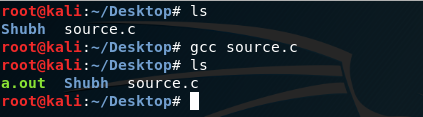
Example: This will compile the source.c file and give the output file as a.out file which is default name of output file given by gcc compiler, which can be executed using ./a.out

gcc source.c

Most Usefull Options with Examples: Here source.c is the C program code file.

  • -o opt: This will compile the source.c file but instead of giving default name hence executed using ./opt, it will give output file as opt. -o is for output file option.
    gcc source.c -o opt

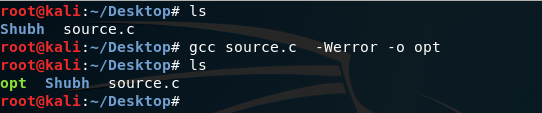
  • -Werror: This will compile the source and show the warning if any error is there in the program, -W is for giving warnings.
    gcc source.c -Werror -o opt

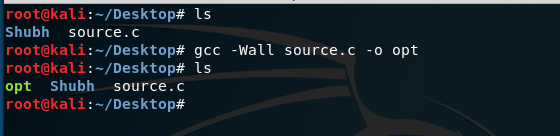
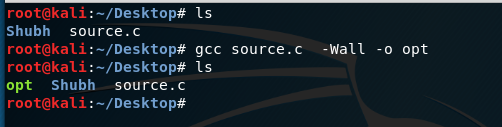
  • -Wall: This will check not only for errors but also for all kinds warning like unused variables errors, it is good practice to use this flag while compiling the code.
    gcc source.c -Wall -o opt

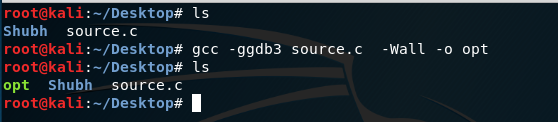
  • -ggdb3: This command give us permissions to debug the program using gdb which will be described later, -g option is for debugging.
    gcc -ggdb3 source.c -Wall -o opt

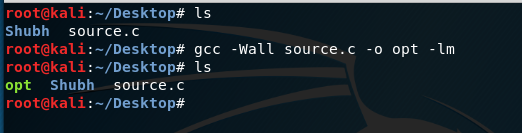
  • -lm : This command link math.h library to our source file, -l option is used for linking particular library, for math.h we use -lm.
    gcc -Wall source.c -o opt -lm

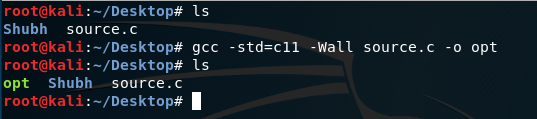
  • -std=c11 :This command will use the c11 version of standards for compiling the source.c program, which allows to define variable under loop initializations also using newer standards version is preferred.
    gcc -Wall -std=c11 source.c -o opt

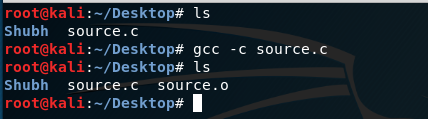
  • -c : This command compile the program and give the object file as output, which is used to make libraries.
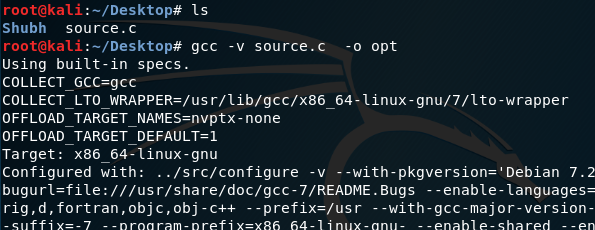
  • -v : This option is used for the verbose purpose.

Source: gcc command in Linux with examples – GeeksforGeeks

Printer Drivers DCP-1510

Install LPR driver and cupswrapper driver

  1. Turn on the printer and connect the USB cable.
  2. Open the terminal and go to the directory where the drivers are.
  3. Install LPR driver.The install process may take some time. Please wait until it is complete.
    Command (for dpkg) : dpkg -i –force-all (lpr-drivername)
  4. Install cupswrapper driver.The install process may take some time. Please wait until it is complete.
    Command (for dpkg) : dpkg -i –force-all (cupswrapper-drivername)
  5. Check if the LPR driver and cupswrapper driver are installed
    Command (for dpkg) : dpkg -l | grep Brother

https://support.brother.com/g/b/downloadhowto.aspx?c=eu_ot&lang=en&prod=dcp1510_eu_as&os=128&dlid=dlf100458_000&flang=4&type3=561