Update Galaxy Note Pro 12.2 LTE SM-P905 to Android 5.0.2 Lollipop Build P905XXUABOD7

Galaxy Note Pro 12.2 (SM-P905) LTE, powered with the quad-core Snapdragon 800 processor can be updated now to Android 5.0.2 Lollipop as Samsung has started rolling-out the latest Android OS version to Galaxy Note Pro 12.2 LTE officially. The build number of this update is P905XXUABOD7 which is now available for the Note 2 users in Switzerland. So if you are from the certain region then you are lucky to get the update first as the Lollipop build should be available as an OTA update as well as through Samsung

Source: Update Galaxy Note Pro 12.2 LTE SM-P905 to Android 5.0.2 Lollipop Build P905XXUABOD7

Kali Linux on Android Note 3 Guide [Archive] – Kali Linux Forums

This may have been posted some where in the past but I have been searching for some time and found nothing but others looking for this information. So I though I would document what I did to get everything up and running on my note 3 and share it here. From a PC 1. Download kali from the LOA website kalilinux.FULL.ext4.20131031 (http://sourceforge.net/projects/linuxonandroid/files/KaliLinux/kalilinux.FULL.ext4.20131031.zip/download) (5.8 GB Uncompressed) (2.0GB Download) 2. Once the download is complete

Source: Kali Linux on Android Note 3 Guide [Archive] – Kali Linux Forums

How to calibrate the battery on your Android phone or tablet – AndroidPIT

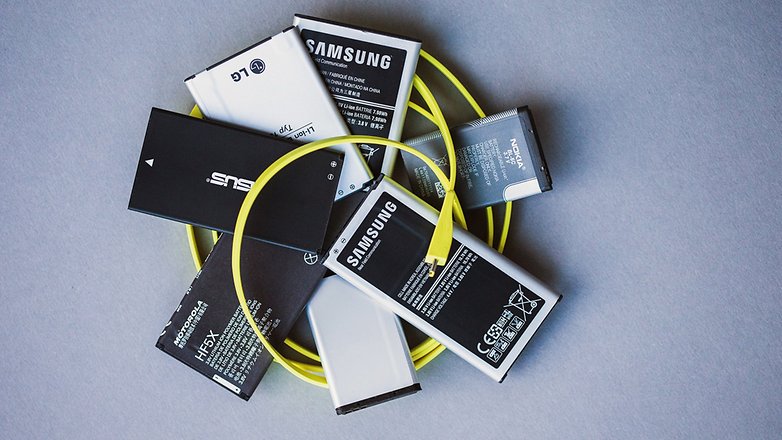
Battery problems are among the biggest concerns for smartphone users, which is why we offer so many useful tips for solving battery drain issues. If you notice that your battery performance and duration has decreased, it could be time to calibrate your battery. Today we’ll explain what battery calibration is, how to tell if you need to do it and how to do it, with or without root access.

Source: How to calibrate the battery on your Android phone or tablet – AndroidPIT

Random reboots after update – Pg. 6 | Samsung Galaxy Tab Pro 12.2, 10.1, 8.4

I have a Galaxy Tab Pro 12.2 rooted with Chainfire stock rom. I started getting random reboots soon after root and yes I did select yes when super su asked to disable knox. Never had a problem with this on a Note 4, S5, or Note 8. I tried most of what everyone has discussed except re-flash and factory reset. I also uninstalled super su, enabled knox, re-installed super su. But this time super su did not ask to disable knox. Re-enabling knox did not stop it. I installed xposed server crash tool and got the

Source: Random reboots after update – Pg. 6 | Samsung Galaxy Tab Pro 12.2, 10.1, 8.4

Checking Mount Points … Fail · Issue #191 · meefik/linuxdeploy · GitHub

Currently I am getting the following results. I have SuperSU and busybox installed. Updating cofiguration file … done begin: install chcking mount points … fail press STOP and repeat attemt. <<< end: install I have been trying to figure out why and how to fix this. I haven’t been able to find similar posts. I do know the mmcblk0p6 file is giving me a permission denied, but I have no idea why root access isn’t allowing me to make a copy of that file.

Source: Checking Mount Points … Fail · Issue #191 · meefik/linuxdeploy · GitHub

Can data be recovered by removing hard drives from ReadyNAS Duo? – Super User

I have a five year old ReadyNAS Duo that seems to have kicked the bucket.It has two Western Digital Black hard drives that have been run in mirror RAID configuration. They are both a year old so should be in excellent condition.Is it possible to simply remove the drives, connect them to a compatible operating system, and recover the data by copying it directly off the drives?

Source: Can data be recovered by removing hard drives from ReadyNAS Duo? – Super User

High-resolution audio

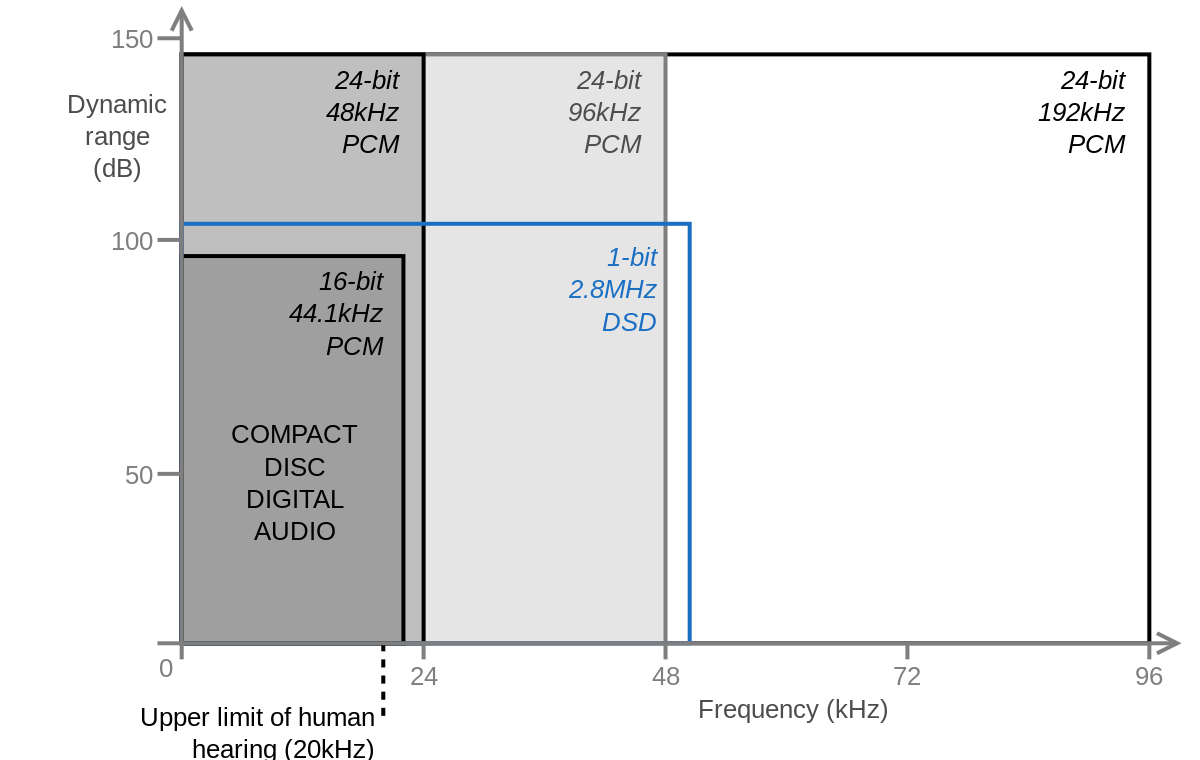
For the HD Audio specification for personal computers, see Intel High Definition Audio. High-resolution audio, also known as High-definition audio or HD audio, is a marketing term used by some recorded-music retailers and high-fidelity sound reproduction equipment vendors.[1][2] It refers to higher than 44.1 kHz sample rate and/or higher that 16-bit linear bit depth. It usually means 96 kHz (or even much higher), sometimes informally written as “96k”, meaning a Nyquist frequency of 48 kHz, which is outside

Source: High-resolution audio – Wikipedia

Accessing USB drive with Linux – NETGEAR Communities

Accessing USB drive with Linux ‎2010-06-04 07:04 PM I have a NV+ with external USB drive formatted in EXT3 where backup is copied to this drive. Power supply crapped out in NV+. 🙁 Plugged the USB drive into a Linux system (Fedora 9) which should be able to read this EXT3 drive. It gave error that couldn’t mount because superblock not found. Any tricks to use the external drives on a Linux system so I can access data while waiting for new power supply?

Source: Accessing USB drive with Linux – NETGEAR Communities

screen flickering problems galaxie note pro 12.2 problem resolved – Android Forums at AndroidCentral.com

Anyone having screen flickering problems with there note 12.2 pro tablet will need to do a refresh install of kit kat. The Samsung rep at best buy did that for me and it seemed to have solved my screen flickering problem. It’s a softwear issue but can be fixed with a simple update from kit kat. Just a FYI to everyone.

Source: screen flickering problems galaxie note pro 12.2 problem resolved – Android Forums at AndroidCentral.com

samsung galaxy note pro 12.2 reboots continuously when the battery drops below 70% | Android Authority Forums

I’ve got a rooted Samsung Galaxy NotePro 12.2 that has recently begun going into a reboot loop whenever the battery voltage dropped below a certain percentage. The first time it happened, the battery voltage had dropped to 55%. After getting home two hours later (I was traveling), and resetting the tablet (had to to get in. The tablet wouldn’t accept the pin number any longer), I ran the battery down again to see if I could duplicate the problem and began rebooting when the battery voltage dropped to less than 85%. I scoured the internet for solutions and didn’t have much luck.I did find all the recommendations to re-calibrate the battery and repair the battery and also several articles which said re-calibrating wouldn’t help. I ran the battery repair and the re-cal anyway (I’ve been a certified electronics technician since the 1980’s. I learned along time ago, the “experts” aren’t always right) and did see some minor improvement. Now, the tablet doesn’t begin rebooting until the battery drops below 65%.Once the tablet begins the reboot loop, I cannot turn it off by pressing and holding the power button regardless the length of time I keep it depressed. To get the reboot loop to stop, I have to plug the tablet into the charger.I have been unable to find any kind of batterystats.bin file anywhere on the phone though I have found the battery doctor’s file.I’m at a loss as to why this has begun happening. Has anyone else seen this problem? Anyone have any suggestions?Thank you in advance

Source: samsung galaxy note pro 12.2 reboots continuously when the battery drops below 70% | Android Authority Forums