While it’s not every day that you need to add a new hard drive to your computer, the task does not have to be complicated. Use this guide to help you install a new hard drive with an existing Ubuntu system, and partition it for use. Before beginning, you need to consider for what you will be using the hard drive.
- Will the drive be used only with Ubuntu?
- Will the drive need to be accessible from both Ubuntu and Windows?
- How do you want to divide the free space? As a single partition, or as several?
This guide goes over procedures for a single partition drive install only. Multiple partition drive installations are not very hard, and you may very well figure it out by using this guide; however, make sure you add an entry in /etc/fstab for each partition, not just the drive.
Engineering and technology
OpenVPN
If you want more than just pre-shared keys OpenVPN makes it easy to setup and use a Public Key Infrastructure (PKI) to use SSL/TLS certificates for authentication and key exchange between the VPN server and clients. OpenVPN can be used in a routed or bridged VPN mode and can be configured to use either UDP or TCP. The port number can be configured as well, but port 1194 is the official one. And it is only using that single port for all communication.
Source: OpenVPN
VPN – Ubuntu Wiki
Source: VPN – Ubuntu Wiki
Topic: Add a second blog to my page? « WordPress.org Forums
I am looking to make a second blog page on my site. I know I can create additional pages but how do I make a second blog? It seems like I am only allowed one by default. Any ideas?
Source: Topic: Add a second blog to my page? « WordPress.org Forums
My simply MySQL Command Line Cheatsheet · GitHub
MySQL
Getting started:
Related tutorials:
- MySQL-CLI: https://www.youtube.com/playlist?list=PLfdtiltiRHWEw4-kRrh1ZZy_3OcQxTn7P
- Analyzing Business Metrics: https://www.codecademy.com/learn/sql-analyzing-business-metrics
- SQL joins infografic: http://cd64.de/sql-joins
Tools:
- DataGrip: https://www.jetbrains.com/datagrip/
- Sequel Pro: http://www.sequelpro.com/
Commands
Access monitor:
mysql -u [username] -p;(will prompt for password)Show all databases:
show databases;Access database:
mysql -u [username] -p [database](will prompt for password)Create new database:
create database [database];Select database:
use [database];Determine what database is in use:
select database();Show all tables:
show tables;Show table structure:
describe [table];List all indexes on a table:
show index from [table];Create new table with columns:
CREATE TABLE [table] ([column] VARCHAR(120), [another-column] DATETIME);Adding a column:
ALTER TABLE [table] ADD COLUMN [column] VARCHAR(120);Adding a column with an unique, auto-incrementing ID:
ALTER TABLE [table] ADD COLUMN [column] int NOT NULL AUTO_INCREMENT PRIMARY KEY;Inserting a record:
INSERT INTO [table] ([column], [column]) VALUES ('[value]', [value]');MySQL function for datetime input:
NOW()Selecting records:
SELECT * FROM [table];Explain records:
EXPLAIN SELECT * FROM [table];Selecting parts of records:
SELECT [column], [another-column] FROM [table];Counting records:
SELECT COUNT([column]) FROM [table];Counting and selecting grouped records:
SELECT *, (SELECT COUNT([column]) FROM [table]) AS count FROM [table] GROUP BY [column];Selecting specific records:
SELECT * FROM [table] WHERE [column] = [value];(Selectors:<,>,!=; combine multiple selectors withAND,OR)Select records containing
[value]:SELECT * FROM [table] WHERE [column] LIKE '%[value]%';Select records starting with
[value]:SELECT * FROM [table] WHERE [column] LIKE '[value]%';Select records starting with
valand ending withue:SELECT * FROM [table] WHERE [column] LIKE '[val_ue]';Select a range:
SELECT * FROM [table] WHERE [column] BETWEEN [value1] and [value2];Select with custom order and only limit:
SELECT * FROM [table] WHERE [column] ORDER BY [column] ASC LIMIT [value];(Order:DESC,ASC)Updating records:
UPDATE [table] SET [column] = '[updated-value]' WHERE [column] = [value];Deleting records:
DELETE FROM [table] WHERE [column] = [value];Delete all records from a table (without dropping the table itself):
DELETE FROM [table];(This also resets the incrementing counter for auto generated columns like an id column.)Delete all records in a table:
truncate table [table];Removing table columns:
ALTER TABLE [table] DROP COLUMN [column];Deleting tables:
DROP TABLE [table];Deleting databases:
DROP DATABASE [database];Custom column output names:
SELECT [column] AS [custom-column] FROM [table];Export a database dump (more info here):
mysqldump -u [username] -p [database] > db_backup.sqlUse
--lock-tables=falseoption for locked tables (more info here).Import a database dump (more info here):
mysql -u [username] -p -h localhost [database] < db_backup.sqlLogout:
exit;Aggregate functions
Select but without duplicates:
SELECT distinct name, email, acception FROM owners WHERE acception = 1 AND date >= 2015-01-01 00:00:00Calculate total number of records:
SELECT SUM([column]) FROM [table];Count total number of
[column]and group by[category-column]:SELECT [category-column], SUM([column]) FROM [table] GROUP BY [category-column];Get largest value in
[column]:SELECT MAX([column]) FROM [table];Get smallest value:
SELECT MIN([column]) FROM [table];Get average value:
SELECT AVG([column]) FROM [table];Get rounded average value and group by
[category-column]:SELECT [category-column], ROUND(AVG([column]), 2) FROM [table] GROUP BY [category-column];Multiple tables
Select from multiple tables:
SELECT [table1].[column], [table1].[another-column], [table2].[column] FROM [table1], [table2];Combine rows from different tables:
SELECT * FROM [table1] INNER JOIN [table2] ON [table1].[column] = [table2].[column];Combine rows from different tables but do not require the join condition:
SELECT * FROM [table1] LEFT OUTER JOIN [table2] ON [table1].[column] = [table2].[column];(The left table is the first table that appears in the statement.)Rename column or table using an alias:
SELECT [table1].[column] AS '[value]', [table2].[column] AS '[value]' FROM [table1], [table2];Users functions
List all users:
SELECT User,Host FROM mysql.user;Create new user:
CREATE USER 'username'@'localhost' IDENTIFIED BY 'password';Grant
ALLaccess to user for*tables:GRANT ALL ON database.* TO 'user'@'localhost';Find out the IP Address of the Mysql Host
SHOW VARIABLES WHERE Variable_name = 'hostname';(source)
Restoring a MySQL table back to the database – Stack Overflow
I have a trouble in restoring MySQL table back to the database from command line. Taking backup of a table is working with mysqldump.Taking backup and restoring of a database is also working properly. I have used:mysql -uroot -p DatabaseName TableName < path\TableName.sql
Source: Restoring a MySQL table back to the database – Stack Overflow
Gil Amelio
Gilbert Frank “Gil” Amelio (born March 1, 1943) is an American technology executive. Amelio worked at Bell Labs, Fairchild Semiconductor, and the semiconductor division of Rockwell International but is best remembered as a CEO of National Semiconductor and Apple Inc.
Source: Gil Amelio – Wikipedia
rsync and SFTP | Pantheon Docs
Transfer large files using an SFTP client or rsync using Drupal 6, Drupal 7, or WordPress for Pantheon.
Source: rsync and SFTP | Pantheon Docs
linux – How do I get an entire directory in sftp? – Super User
Creating a Favicon « WordPress Codex
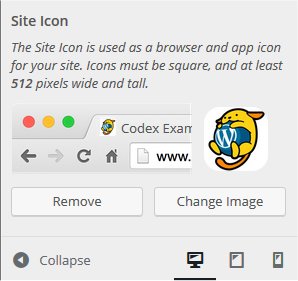
A favicon (short for “favorite icon”) is an icon associated with a website or webpage intended to be used when you bookmark the web page. Web browsers use them in the URL bar, on tabs, and elsewhere to help identify a website visually. Also, it is used as application icon of mobile device.
A favicon is typically a graphic 16 x 16 pixels square and is saved as favicon.ico in the root directory of your server. You can use a favicon with any WordPress site on a web server that allows access to the root directories.
Avie Tevanian
Source: Avie Tevanian – Wikipedia
Linear Tape-Open
Linear Tape-Open (LTO) is a magnetic tape data storage technology originally developed in the late 1990s as an open standards alternative to the proprietary magnetic tape formats that were available at the time. Hewlett Packard Enterprise, IBM and Quantum control the LTO Consortium, which directs development and manages licensing and certification of media and mechanism manufacturers.
The standard form-factor of LTO technology goes by the name Ultrium, the original version of which was released in 2000 and can hold 100 GB of data in a cartridge. The seventh generation of LTO Ultrium was released in 2015 and can hold 6.0 TB in a cartridge of the same size.
Upon introduction, LTO Ultrium rapidly defined the super tape market segment and has consistently been the best-selling super tape format.[1][2] LTO is widely used with small and large computer systems, especially for backup.
Source: Linear Tape-Open – Wikipedia