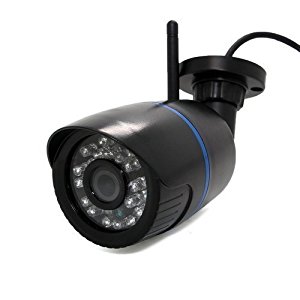
Source: Revotech I6032B-P POE 1920x1080P 2.0MP outdoor Camera – ZoneMinder Forums
Revotech I6032B-P POE 1920x1080P 2.0MP outdoor Camera – ZoneMinder Forums
 Jovan Stosic
Jovan Stosic
Jovan Stosic
Jovan Stosic
Jovan Stosic
Try the following connection options in iSpy to connect to your Revotech IP camera. If VLC or FFMPEG options are available we recommend you try those first as they will often be faster and include audio support. If you don’t have VLC installed (or are experiencing problems with the VLC plugin) you may be able to use the same URL under the FFMPEG source type (VLC is based on FFMPEG).
The settings for Revotech cameras are built right into our open source surveillance software iSpy – click “Add” then “IP camera with wizard” to automatically setup your Revotech cameras. Start typing in the “Make” box to find your camera. If your camera is not listed in iSpy then click “Get Latest List” when on the add camera wizard. If you need to modify the URL then add or edit the Revotech camera in iSpy and you can modify the connection type and URL in the video source dialog (button is top of the first tab).
Source: Connect to Revotech IP cameras
Jovan Stosic
Jovan Stosic
Revotech® – I6032B-W WIFI 1280 x 960P 1.3MP Bullet IP: Amazon.co.uk: Camera & Photo
Source: Revotech® – I6032B-W WIFI 1280 x 960P 1.3MP Bullet IP: Amazon.co.uk: Camera & Photo
Jovan Stosic
Jovan Stosic
The ESP8266 is a low-cost Wi-Fi chip with full TCP/IP stack and MCU (Micro Controller Unit) capability produced by Shanghai-based Chinese manufacturer, Espressif Systems.[1]
The chip first came to the attention of western makers in August 2014 with the ESP-01 module, made by a third-party manufacturer, AI-Thinker. This small module allows microcontrollers to connect to a Wi-Fi network and make simple TCP/IP connections using Hayes-style commands. However, at the time there was almost no English-language documentation on the chip and the commands it accepted.[2] The very low price and the fact that there were very few external components on the module which suggests that it could eventually be very inexpensive in volume, attracted many hackers to explore the module, chip, and the software on it, as well as to translate the Chinese documentation.[3]
The ESP8285 is an ESP8266 with 1 MB of built-in flash, allowing for single-chip devices capable of connecting to Wi-Fi.[4]
The successor to these module(s) is ESP32.
Source: ESP8266 – Wikipedia
Jovan Stosic
Jovan Stosic
Jovan Stosic
Hi all, I’m having problems with the audio on the analog output and for my project I can’t use the HDMI audio. As I am using the Pi to play a live audio stream I don;t have a problem with the ‘popping’ between tracks that has been described, my issue is with the general poor audio quality and background noise that is always present (if there is silence or low audio playing). I am using omxplayer to play the live feed, I have noticed that the + and – do not seem to work to alter the levels at all, I woul
Source: Raspberry Pi • View topic – Poor audio quality on analog output
Jovan Stosic
I have the Raspberry Pi Model B with its original power adapter (1A). If I connect a USB external drive to it, the drive tries to start spinning but it won’t, and the Raspberry Pi does not detect it. If I connect it using a Y USB cable (1 USB for data + power and the second USB only for power), the Raspberry Pi restarts and the drive does not start spinning anyway. If I use the Y USB cable, but connect the data + power to the Raspberry Pi and the second USB (power only) to an external USB adapter (from a
Source: Raspberry Pi • View topic – Power for an external HDD
Jovan Stosic
I have followed [this guide](https://www.digitalocean.com/community/tutorials/how-to-install-wordpress-on-ubuntu-14-04 comment=18297), and everything worked correctly except that I cannot change the WordPress permalink setting. I have followed the gui
Source: WordPress Permalinks not working on Ubuntu 14.04 | DigitalOcean
Jovan Stosic