Install Gqrx SDR on Ubuntu Linux – Gqrx SDR
 Jovan Stosic
Jovan Stosic
Jovan Stosic
Jovan Stosic
Jovan Stosic
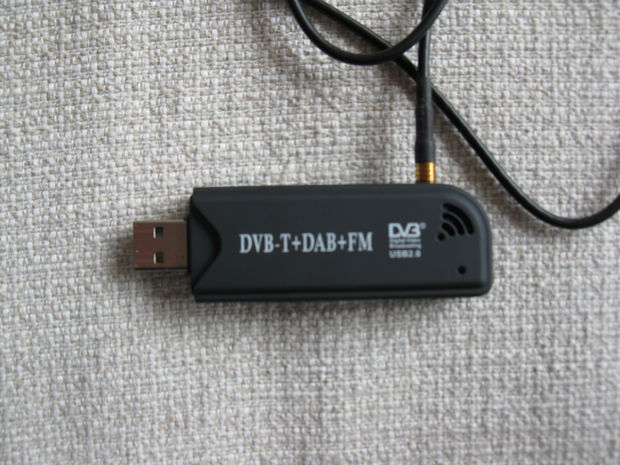
Source: Rtl-sdr on Ubuntu: 4 Steps
Jovan Stosic
Mobile Edge Computing (MEC) is a network architecture concept that enables cloud computing capabilities and an IT service environment at the edge of the cellular network. The basic idea behind MEC is that by running applications and performing related processing tasks closer to the cellular customer, network congestion is reduced and applications perform better. MEC technology is designed to be implemented at the cellular base stations, and enables flexible and rapid deployment of new applications and services for customers. Combining elements of information technology and telecommunications networking, MEC also allows cellular operators to open their radio access network (RAN) to authorized third-parties, such as application developers and content providers.
Technical standards for MEC are being developed by the European Telecommunications Standards Institute, which has produced a technical white paper about the concept.
Jovan Stosic
In information theory, a low-density parity-check (LDPC) code is a linear error correcting code, a method of transmitting a message over a noisy transmission channel.[1][2] An LDPC is constructed using a sparse bipartite graph.[3] LDPC codes are capacity-approaching codes, which means that practical constructions exist that allow the noise threshold to be set very close (or even arbitrarily close on the binary erasure channel) to the theoretical maximum (the Shannon limit) for a symmetric memoryless channel
Jovan Stosic
Jovan Stosic
Jovan Stosic
Jovan Stosic
Jovan Stosic
Jovan Stosic
Install sunxi-tools
Copy the Code
Boot partition should be mounted to /media/boot in loboris images. As root, make backup of script.bin and convert it to script.fex with bin2fex and edit script.fex with editor of your choice
Copy the Code
Find section [hdmi_para] and add these parameters under it
Copy the Code
Save the file and convert script.fex back to script.bin
Copy the Code
Reboot
Source: [Mini 2] HDMI-DVI converter failure (no screen) – Troubleshooting – OrangePi – Powered by Discuz!
Jovan Stosic
Jovan Stosic