Source: apt – How to fix Duplicate sources.list entry? – Ask Ubuntu
apt – How to fix Duplicate sources.list entry? – Ask Ubuntu
 Jovan Stosic
Jovan Stosic
Jovan Stosic
Jovan Stosic
Jovan Stosic
I know how to do this in Windows, but not in Ubuntu. Is there a good program that will convert my .flac files to .mp3 format? Doing a search in Synaptic only shows me programs that will play .flac, not convert them. Thanks!
Jovan Stosic
This worked great, but make sure you have “lame” and “flac”
sudo apt-get install flac
sudo apt-get install lame
Then in the folder with all the .flac files:
for f in *.flac; do flac -cd "$f" | lame -b 320 - "${f%.*}".mp3; doneNope, what repo are these in? apt-cache and apt-get could find neither flac nor lame.
josh@josh-ThinkPad:/run$ apt-cache policy flac
flac:
Installed: 1.2.1-6build1
Candidate: 1.2.1-6build1
Version table:
*** 1.2.1-6build1 0
500 http://us.archive.ubuntu.com/ubuntu/ raring/main amd64 Packages
100 /var/lib/dpkg/status
josh@josh-ThinkPad:/run$ apt-cache policy lame
lame:
Installed: 3.99.5+repack1-3
Candidate: 3.99.5+repack1-3
Version table:
*** 3.99.5+repack1-3 0
500 http://us.archive.ubuntu.com/ubuntu/ raring/universe amd64 Packages
100 /var/lib/dpkg/status
main and universe repos, respectively. On raring, at least…
iDealshare VideoGo is just the professional FLAC Converter which can fast and batch convert FLAC files to lossless audio format like Apple Lossless ALAC M4A, AIFF, WAV, AU, APE, or convert FLAC to lossy audio format like AAC, WMA, AIFF, OGG, MP3 and etc
Another way is to convert FLAC to iPhone supported format. Bigasoft Audio Converter is just the professional FLAC to iPhone Converter which can fast and batch convert FLAC files to iPhone supported format. It can either convert FLAC to iPhone supported lossless audio format like Apple Lossless ALAC M4A, AIFF, WAV; or convert FLAC to iPhone supported lossy audio format like AAC or MP3.
Thank you! It works!
But 320 kbps is so much for me… Therefore i put ‘lame -b 320 …’ for speech.
Using ffmpeg (and without an ugly for loop).
http://lewisdiamond.blogspot.ca/2012/01/converting-flac-to-mp3.html
find -name “*.flac” -exec ffmpeg -i {} -acodec libmp3lame -ab 128k {}.mp3 \;
Jovan Stosic
Is Eclipse the best IDE for Java? If not, is there something better? I want to know and possibly try it out. Thanks.
Jovan Stosic
A forum thread in FORUMS ➔ Post Processing, Marketing & Presenting Photos ➔ RAW, Post Processing & Printing
Source: RAW files in Ubuntu Linux — RAW, Post Processing & Printing in photography-on-the.net forums
Jovan Stosic
OwnCloud add-on thread 2012-09-25 04:04 PM This is a general discussion thread for the OwnCloud add-on Owncloud for Sparc (Duo/NV+ v1 etc.): http://www.readynas.com/forum/viewtopic.php?f=47&t=66762 Owncloud for ARM (Duo/NV+ v2): http://www.readynas.com/forum/viewtopic.php?f=147&t=64597 Owncloud for x86 (NVX/Ultra/Ultra Plus/Pro): http://www.readynas.com/forum/viewtopic.php?f=48&t=64596 Continues from http://www.readynas.com/forum/viewtopic.php?f=61&t=62063
Jovan Stosic
Git (/ɡɪt/[6]) is a version control system (VCS) for tracking changes in computer files and coordinating work on those files among multiple people. It is primarily used for software development,[7] but it can be used to keep track of changes in any files. As a distributed revision control system it is aimed at speed,[8] data integrity,[9] and support for distributed, non-linear workflows.[10] Git was created by Linus Torvalds in 2005 for development of the Linux kernel, with other kernel developers contribu
Source: Git – Wikipedia
Jovan Stosic
Jovan Stosic
An extensive tutorial explaining how to configure DirectX 9.0c in Linux using Wine, including a Tropico 3 game demonstration
Jovan Stosic
SmartMesh IP products are wireless chips and pre-certified PCB modules complete with ready-to-deploy wireless mesh networking software. They are built for IP compatibility, and based on the 6LoWPAN and 802.15.4e standards. The SmartMesh IP product line enables low power consumption and >99.999% data reliability even in harsh, dynamically changing RF environments. To learn more about SmartMesh benefits and applications, please visit
Source: SmartMesh IP – Linear Technology
Jovan Stosic
A clean air supply is essential to our own health and that of the environment. But since the industrial revolution, the quality of the air we breathe has deteriorated considerably – mainly as a result of human activities. The issue of air quality is still a major concern for many European citizens. It is also one of the areas in which the European Union has been most active. Since the early 1970s, the EU has been working to improve air quality by controlling emissions of harmful substances into the atmosphere, improving fuel quality, and by integrating environmental protection requirements into the transport and energy sectors. Waspmote has been used to control public transportation and monitor environmental parameters in several cities in Serbi
Jovan Stosic
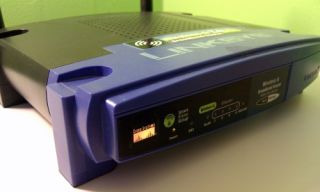
If you’re upgrading to a faster, stronger wireless router, don’t chuck your older Wi-Fi box. With the magic of DD-WRT, you can turn your older wireless router into a range-expanding Wi-Fi repeater to cover everywhere you need a connection.
Source: Turn Your Old Router into a Range-Boosting Wi-Fi Repeater