How To Install Nagios 4 and Monitor Your Servers on Ubuntu 14.04
 Jovan Stosic
Jovan Stosic
Jovan Stosic
Jovan Stosic
Jovan Stosic
Jovan Stosic
Jovan Stosic
Open Zoneminder. Click on Options – Paths
Change PATH_ZMS to /zm/cgi-bin/nph-zms
Reboot the server to set the API tmp directories.
https://wiki.zoneminder.com/Common_Issues_with_Zoneminder_Installation_on_Ubuntu
Jovan Stosic
Set up source type as remote
protocol as HTTP
remote method as Simple
remote host name ip address of Motion server ie 192.168.1.11
remote host port as 8081 ( providing this is the streaming port on Motion )
remote host path as /
set the colour and image size to match that of Motion ( found in the motion.conf file )
Hope this helps you or others.
https://forums.zoneminder.com/viewtopic.php?t=20575
Jovan Stosic
Jovan Stosic
$ sudo -u www-data php occ files:scan –all
https://forum.owncloud.org/viewtopic.php?t=31599
Jovan Stosic
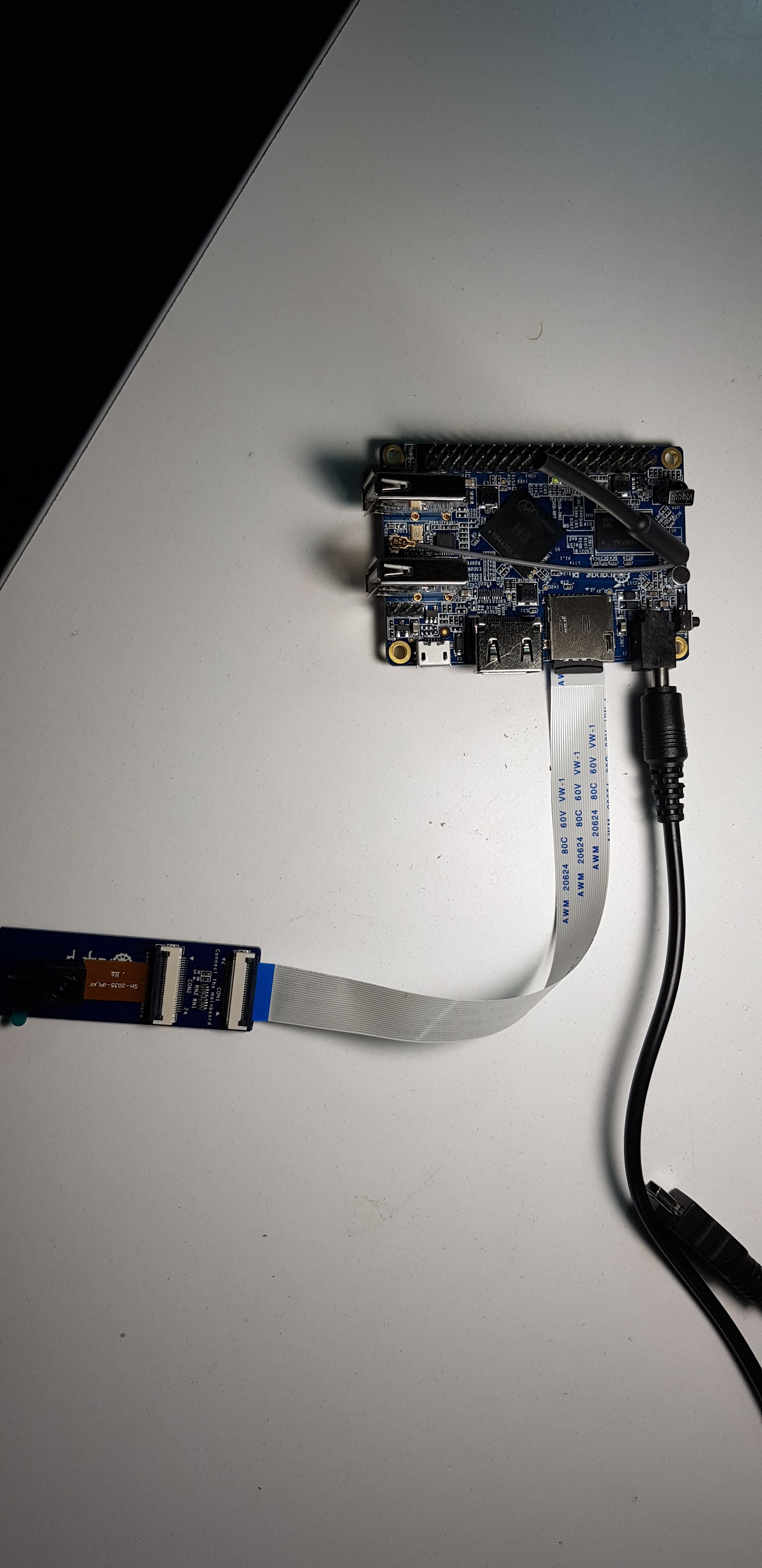
The most import is that don’t load gc2035 & vfe_v4l2 before. So you had better remove it in /etc/modules
This is my /etc/modules
#w1-sunxi
#w1-gpio
#w1-therm
#gc2035
#vfe_v4l2
#sunxi-cir
#v4l2loopback
you may see /dev/video0, but when you reboot, it lose again
I add my scrip to /etc/rc.local
this is my /etc/rc.local
sunxi-pio -m "PG11<1><0><1><1>"
modprobe gc2035
modprobe vfe_v4l2
sleep 5
modprobe v4l2loopback devices=2
/root/vidcopy/vidcopy -w 640 -h 480 -r 30 -i /dev/video0 -o /dev/video1 -f UYVY
sleep 5
/root/vidcopy/vidcopy -w 640 -h 480 -r 30 -i /dev/video1 -o /dev/video2 -f UYVY
exit 0
Thanks my friend: “虚耗”
Jovan Stosic
Source: Spring Boot
Jovan Stosic
Jovan Stosic
history -w ~/history.txt
Source: bash – How to save terminal history manually? – Ask Ubuntu
Jovan Stosic
Овој чланак ми го реши проблемот со broken keychain за cleanapp апликацијата.
Source: How to install a SSL certificate on a Tomcat server – HelpDesk | SSLs.com
Jovan Stosic
Here is an examples of how to configure tomcat-apache connector.
You forgot JkWorkersFile directive. Add this line:
JkWorkersFile /path/workers.properties
where path is where you saved your workers.properties file.
The port defined by:
worker.worker1.port=8080
is the port where is listening Tomcat. Check tomcat configuration, usually is 8009.