10Bit HEVC decoding on FireTV Stick (Gen2) improperly attempts to direct play · Issue #2696 · MediaBrowser/Emby
 Jovan Stosic
Jovan Stosic
Jovan Stosic
Jovan Stosic
Jovan Stosic
http://www.pallab.net/2009/12/30/enable-more-than-4gb-memory-in-windows-vista-7/
Jovan Stosic
Power
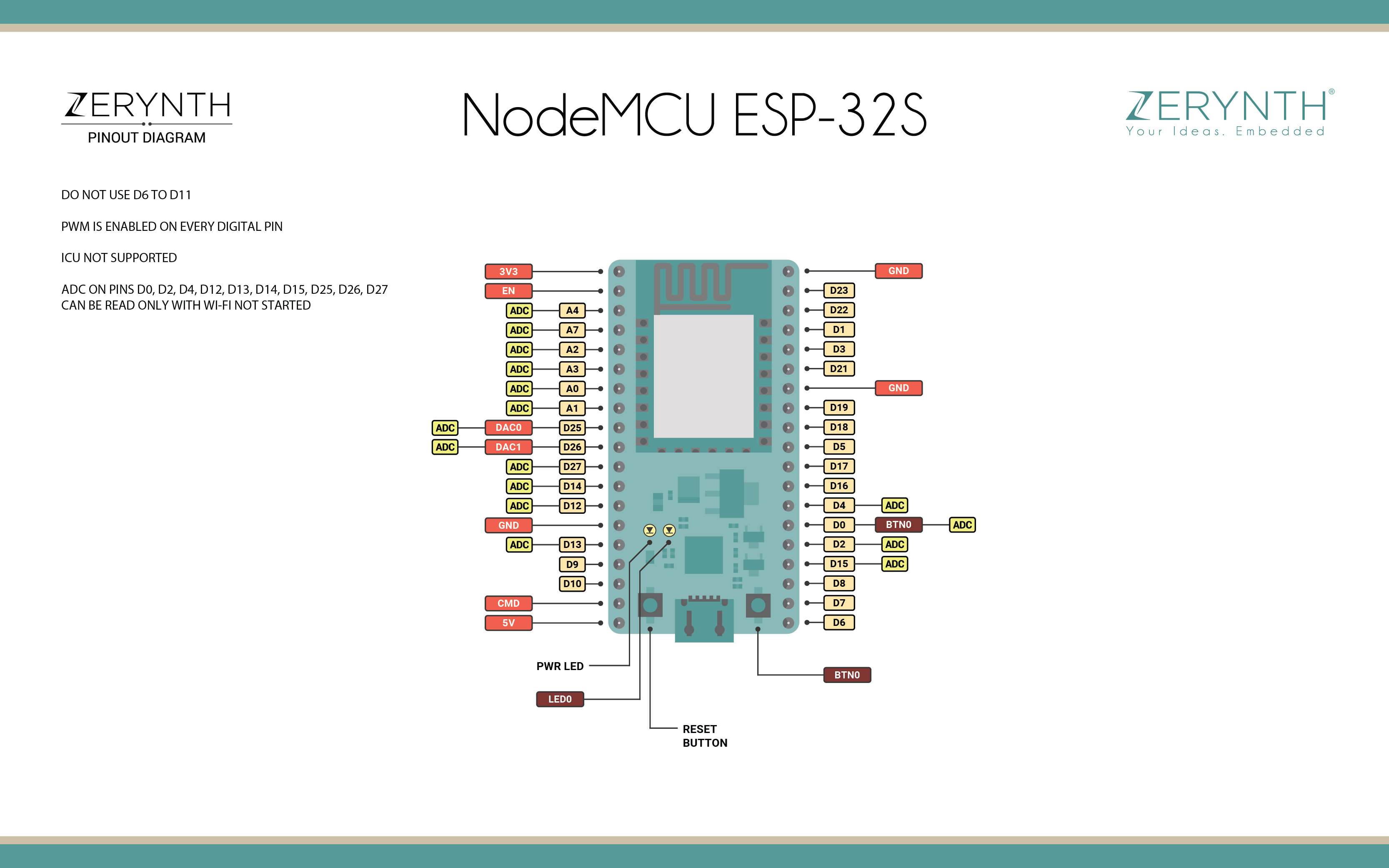
Power to the NodeMCU ESP-32S is supplied via the on-board USB Micro B connector or directly via the “VIN” pin. The power source is selected automatically.
The device can operate on an external supply of 6 to 20 volts. If using more than 12V, the voltage regulator may overheat and damage the device. The recommended range is 7 to 12 volts.
Jovan Stosic
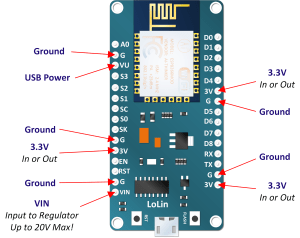
NodeMCU Development Board Power Supplies The low cost NodeMCU can be powered a variety ways. The neat thing about the boards being offered on the internet is that they are largely the same. This…
Jovan Stosic
Jovan Stosic
Jovan Stosic
// My owncloud installation domain.com/owncloud
davs://user@domain.com/owncloud/remote.php/webdav/files/userCircuitPython[8] is an open source derivative of the MicroPython programming language targeted towards the student and beginner. Development of CircuitPython is supported by Adafruit Industries. It is a software implementation of the Python 3 programming language, written in C.[3] It has been ported to run on several modern microcontrollers.
CircuitPython is a full Python compiler and runtime that runs on the microcontroller hardware. The user is presented with an interactive prompt (the REPL) to execute supported commands immediately. Included are a selection of core Python libraries. CircuitPython includes modules which give the programmer access to the low-level hardware of Adafruit compatible products as well as higher level libraries for beginners.[9]
CircuitPython is a fork of MicroPython, originally created by Damien George.[10] The MicroPython community continues to discuss[11] forks of MicroPython into variants such as CircuitPython.
CircuitPython is targeted to be compliant with CPython, the reference implementation of the Python programming language.[12] Programs written for CircuitPython compatible boards may not run unmodified on other platforms such as the Raspberry Pi.[13]
https://en.wikipedia.org/wiki/CircuitPython
Jovan Stosic
STM32 is a family of 32-bit microcontroller integrated circuits by STMicroelectronics. The STM32 chips are grouped into related series that are based around the same 32-bit ARM processor core, such as the Cortex-M7F, Cortex-M4F, Cortex-M3, Cortex-M0+, or Cortex-M0. Internally, each microcontroller consists of the processor core, static RAM memory, flash memory, debugging interface, and various peripherals.
Jovan Stosic
MicroPython is a software implementation of the Python 3 programming language, written in C, that is optimized to run on a microcontroller. MicroPython is a full Python compiler and runtime that runs on the micro-controller hardware. The user is presented with an interactive prompt (the REPL) to execute supported commands immediately. Included are a selection of core Python libraries; MicroPython includes modules which give the programmer access to low-level hardware.
MicroPythonMicropython-logo.svgOriginal author(s)Damien GeorgeInitial releaseMay 3, 2014; 4 years agoStable release1.9.4 / May 11, 2018; 6 months agoRepositorygithub.com/micropython/micropythonEdit this at WikidataWritten inCPlatformMicro Bit, Arduino, ESP8266, ESP32,STM32TypePython implementationLicenseMIT license Websitehttps://micropython.org[2]MicroPython was originally created by the Australian programmer and physicist Damien George, after a successful Kickstarter backed campaign in 2013.[6] While the original Kickstart campaign released MicroPython with a pyboard microcontroller, MicroPython supports a number of ARM based architectures. MicroPython has since been run on Arduino platform based products, ESP8266, ESP32, and Internet of things hardware. In 2016 a version of MicroPython for the BBC Micro Bit was created as part of the Python Software Foundation’s contribution to the Micro Bit partnership with the BBC.[16]
The source code for the project is available on GitHub.
Jovan Stosic
Step 1: Next, let’s find if there are any Bad Sectors on the hard disk. We shall use badblocks command. Make sure to enter your hard disk info instead of /dev/sda in below command. My test PC has /dev/sda for the hard disk. This command will scan for bad blocks in the hard disk and then export the result to the file badsectors.txt in the ‘scan_result’ directory.
sudo badblocks -v /dev/sda > /scan_result/badsectors.txt
Step 2: Finally we shall use fsck command to tell Ubuntu not to use the bad sectors mentioned in the badsectors.txt file. That way life of the hard disk is increased a bit until you get a new one for replacement.
sudo fsck -l /scan_result/badsectors.txt /dev/sda
Jovan Stosic