Lion (2016)

Directed by Garth Davis. With Dev Patel, Nicole Kidman, Rooney Mara, Sunny Pawar. A five-year-old Indian boy gets lost on the streets of Calcutta, thousands of kilometers from home. He survives many challenges before being adopted by a couple in Australia; 25 years later, he sets out to find his lost family.

Source: Lion (2016) – IMDb
Lion (2016) was last modified: September 25th, 2017 by Jovan Stosic

App Inventor Tutorials and Examples: Manager Screen | Pura Vida Apps

The recommended method of switching screens in App InventorNote: Before starting to create another screen, first you should think about is it really necessary? See also Building apps with many screens and SteveJG’s post about advantages/disadvantages, because in only one screen you also can use vertical arrangements to simulate different screens, just set the arrangements to visible = true/false as needed…See also Martyn_HK’s example about how to use Tabs in App Inventor and another example from Cyd.Note from the Colored Dots tutorial:You can have many screens in an App Inventor app, but a screen always returns to the screen that opened it. On the other hand, you can get the effect of screens switching to arbitrary other screen by setting up a “manager screen” that is used for opening all the other screens. When a screen wants to switch, it returns to the manager with a value saying which screen to open next.This version demonstrates the use of a manager screen. If in a screen you want to go to another screen, you always go back to the manager screen telling him where you want to go. With this method, there only is one screen active in any moment. Additionally the back button will be catched with the Screen.BackPressed block.Note: if you only use the open another screen and never the close screen block, you will run out of memory after a while. Also reopening an already opened screen is a bad idea. For example if you open Screen1 twice, you also have to close your app twice!

Source: App Inventor Tutorials and Examples: Manager Screen | Pura Vida Apps

App Inventor Tutorials and Examples: Manager Screen | Pura Vida Apps was last modified: July 13th, 2017 by Jovan Stosic

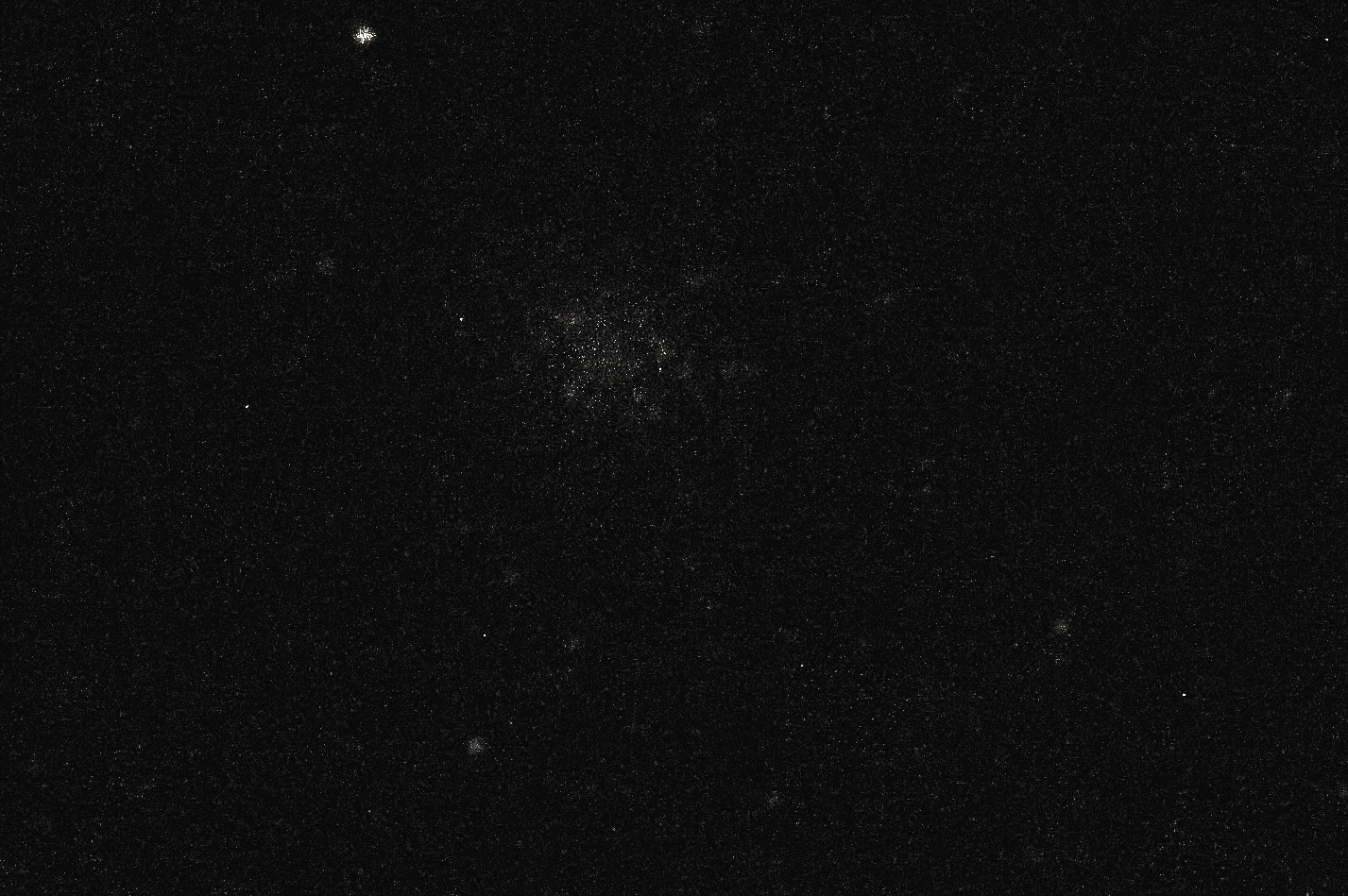
Messier 22 cluster

Picture saved with settings applied.

Messier 22 (NGC 6656) cluster photographed in Velestovo, Macedonia on 27-28.08.2016. Obtained by stacking of 277 light, 20 dark and 20 flat frames in DeepSky Stackerer. Photograph is captured with Canon 1100d  attached to f/4 astrograph telescope with 200mm aperture, by using 0.5 sec shutter speed  and ISO 6400. The cluster is at distance of 10.000 light years from earth, has 5.09 visual magnitude and have apparent size of 32 arcmin. It is located in the Sagitarius Constelation.

Messier 22 cluster was last modified: July 13th, 2017 by Jovan Stosic

LaSoy and LA CHA

LaSoy and LA CHA – First Macedonian Handmade Cosmetics Shop

http://www.lasoy.com.mk/

LaSoy and LA CHA was last modified: July 13th, 2017 by Jovan Stosic

Creating new objects at runtime – Google Groups

Hi people!! I am loving the App Inventor, I have previously tried some droid dev using eclipse and the android SDK but I found it so hard to get to grips with. I am written a few apps and now am trying to write on that allows me to take pictures of my friends and assign their numbers to them… i want to be able to click my friends faces and call them from within the app but… is it possible to create new buttons at runtime? when i take a picture it should change the buttons image property to d

Source: Creating new objects at runtime – Google Groups

Creating new objects at runtime – Google Groups was last modified: July 13th, 2017 by Jovan Stosic